
no more room in hell 2 keeps crashing
No More Room in Hell 2 Performance & In-Game Crashes
Use this guide for low FPS, hitching, or crashes after reaching the main menu, including customization, map loading and live sessions. Record when it happens and match that stage to the checks below. If the game closes before the main menu, start with the PC startup guide.
Direct answer
- Armageddon 1.0 added a Reconnect option after a crash during map loading.
- Hotfix 1.0.3.1 addressed named customization crashes; check the patch history below against the stage where your crash occurs.
- For Nvidia hitching reported at launch, the developer said updating the graphics driver appeared to resolve it.
Choose the next check by symptom
| What you see | What it narrows down | Next check |
|---|---|---|
| Game closes before the main menu | This is a startup-stage problem. | Open the PC startup guide; record any EAC message exactly. |
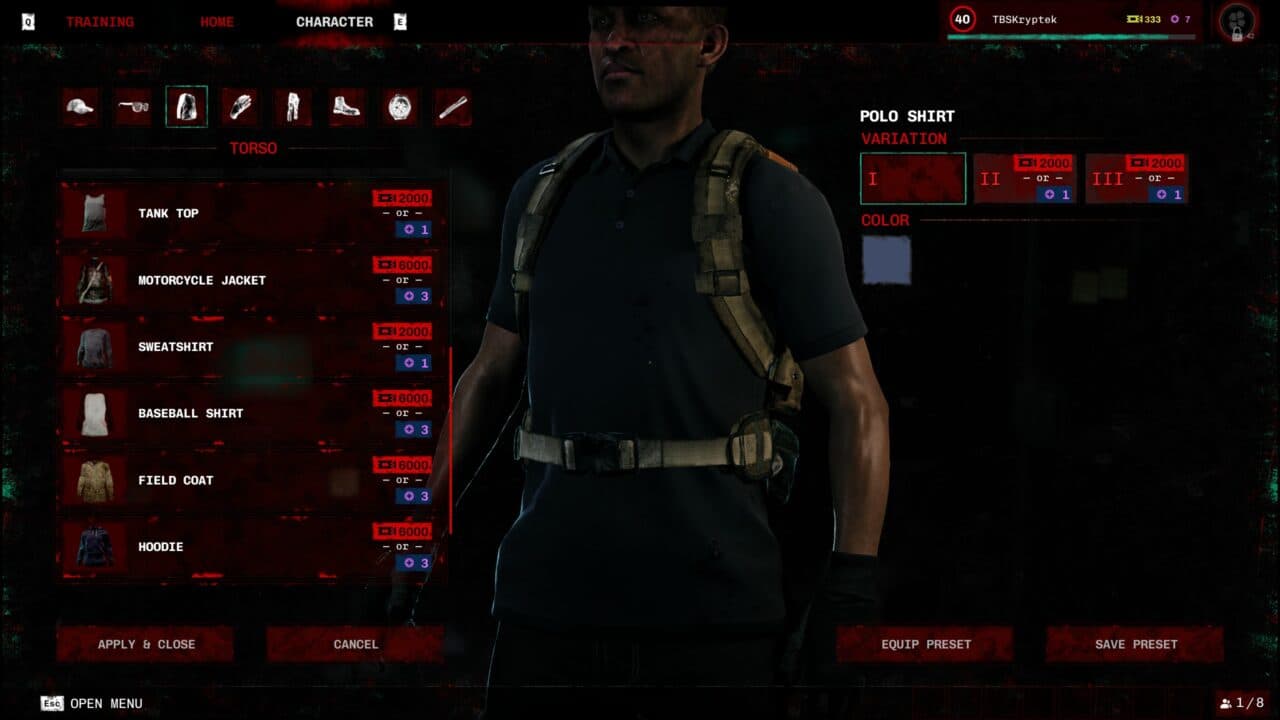
| Crash while customizing a Responder | Named customization crashes appear in the 1.0.3.1 notes. | Update and compare your symptom with the patch history below. |
| Crash during map loading | The 1.0 notes document a recovery option for this stage. | Reopen the game and use Reconnect if the session offers it. |
| Low FPS, hitching or a crash during a live session | Record the scene and hardware before changing settings. | Check the requirements and GPU driver, then repeat the same scene after one change. |
Before you start
Record the platform, game version, GPU and driver version, visible error, and whether the problem begins during customization, map loading or a live session.
What to do
- Install pending game updates, then repeat the same activity once and record whether the symptom changes.
- For a customization crash, compare the symptom with the named 1.0.3.1 fixes in the patch table below.
- After a map-loading crash, reopen the game and use Reconnect if the session offers it.
- For low FPS or hitching during play, compare the PC with the system requirements and check the GPU driver. Change one setting at a time and repeat the same scene.
If it does not work
If it repeats, keep the game version, platform, activity, error text, GPU and driver details together and use the official support path below.
Record the conditions
Write down the game version, platform, GPU and driver version, map or activity, and the exact visible error. For low FPS or hitching, note the scene and graphics preset before changing one setting at a time.
Check hardware requirements
Compare your PC with the current system requirements page. Use the store's published settings targets as hardware context; test your own scene again after a change.
Crash and performance fix log by patch
The current version is 1.1 (Resupply). The table lists every crash, stability and performance item in the official notes from 1.0 onward. Where a note only says "various crash fixes", the developer did not say which crashes were fixed.
| Patch | Crash, stability and connection fixes | Performance changes |
|---|---|---|
| 1.0 Armageddon (notes Aug 10, 2026) | Various client and server crash fixes; Reconnect option after a crash during map load; memory leak when revisiting areas fixed; Unstuck Respawn added | DLSS 4.5 support on compatible RTX cards; impact and gore effects reworked to render more efficiently; less geometry pop-in on Low and Medium presets |
| 1.0.3.1 Hotfix (Aug 17) | Crash from memory use when Responders are heavily customized (most common in squads, with DLC outfits, patterns and logos); crash when leaving character customization too quickly; server stability improvements | None listed |
| 1.0.4.0 Hotfix (Aug 25) | "Server is full" error when joining a match; players in some regions such as continental Asia routed to the wrong servers; Responders dying on disconnects that should have been forgiven | None listed |
| 1.1 Resupply (notes Sep 15) | Various crash fixes (not itemized) | Foliage cull distance raised on the Medium preset; more building pop-in during movement and cinematics fixed |
Known issues: symptom, status and patch
| Symptom | Status | Patch / source |
|---|---|---|
| Crash with heavily customized Responders (logos, patterns, DLC outfits) | Fixed. Until the hotfix, the developer advised avoiding clothing with logos and patterns. | 1.0.3.1 |
| Hitching on PCs with Nvidia graphics cards | The developer said updating the graphics driver appeared to resolve it. | Launch-week post |
| Crash after a map fails to load | Reconnect option added | 1.0 |
| GeForce NOW players crash after the Terms of Service screen | Listed as under investigation. No fix appears in 1.0.3.1, 1.0.4.0 or 1.1 notes. | Launch-week post |
| Crashes on lower-end machines and Xbox Series S from memory use | Planned for the second hotfix, but not itemized in the 1.0.4.0 notes. 1.1 lists unspecified crash fixes. | Launch-week post; 1.0.4.0; 1.1 |
| Graphics settings menu scrolls back to the top after a change | Planned for the second hotfix; not listed in the 1.0.4.0 notes | Launch-week post |
| "Server is full" error when joining | Fixed | 1.0.4.0 |
| High ping in Oceania | Oceanic server added in Australia during launch week | Launch-week post |
| Cannot form a squad on some network setups | Open in 1.1. Reported workarounds: switch between Ethernet and Wi-Fi, adjust NAT type, turn off a VPN. | 1.1 preview and notes |
Reporting a crash
The official notes ask players to report bugs in-game, in the official Discord, or through the support site at nmrih2.com/support. Include your game version, platform, what you were doing when it crashed (loading, customizing or mid-match) and your GPU and driver version.
Config and save file locations (community source)
PCGamingWiki lists the Windows configuration folder as %LOCALAPPDATA%\NMRiH2\Saved\Config\Windows\ and saves as %LOCALAPPDATA%\NMRiH2\Saved\SaveGames\. The developer has not published a fix that involves editing or deleting these files. Back them up before changing anything, and treat any file-based fix you find elsewhere as unofficial.
Frequently asked questions
Why does No More Room in Hell 2 keep crashing?
The official notes do not name one cause. Confirmed crash sources include memory use from heavily customized Responders (fixed in 1.0.3.1), leaving customization too quickly (fixed in 1.0.3.1), and crashes during map loading (Reconnect option added in 1.0). Later patches list more crash fixes without detail.
Does updating my graphics driver help?
For the Nvidia hitching reported at launch, the developer said a driver update appeared to resolve it. It is not a stated fix for every crash.
Does the game support DLSS?
Yes. The 1.0 notes added DLSS 4.5 on compatible RTX cards.
Is there an official best-FPS settings preset?
No. The only official targets are the store's: 1080p 30 Hz on Low with Performance upscaling, and 1080p 60 Hz on High with Quality upscaling on the recommended hardware.
What should I do if I crash while a map is loading?
Since 1.0, the game offers a Reconnect option after a crash during map load, so you can rejoin the session.
What the official notes confirm
Official notes document map-load Reconnect, named customization fixes and the launch-week Nvidia hitching report. General crash-fix entries do not identify the cause of an individual crash.